
In this article, you can find information about what we've introduced for each Lightbits release.
LTS - Long-Term Support
STS - Standard-Term Support
Current Releases:
LTS: 3.18.3
STS: 3.20.1
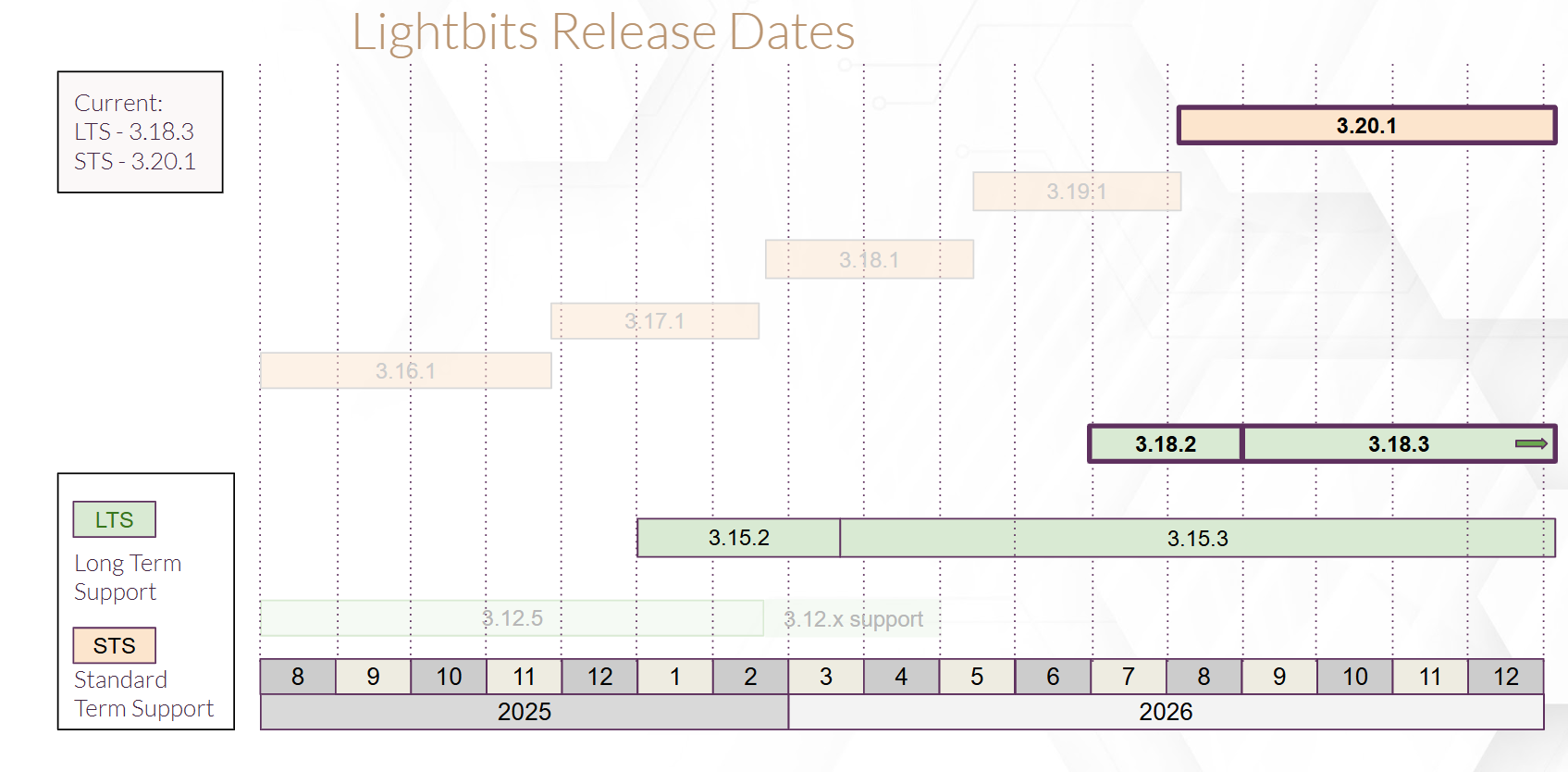
The chart below displays the timeline of Lightbits releases.
Version Release History
Version | Support Type | Released |
|---|---|---|
3.20.1 | STS | August 2026 |
3.19.1 | STS | May 2026 |
3.18.3 | LTS | Aug 2026 |
3.18.2 | LTS | June 2026 |
3.18.1 | STS | February 2026 |
3.17.1 | STS | December 2025 |
3.16.1 | STS | July 2025 |
3.15.3 | LTS | Mar 2026 |
3.15.2 | LTS | December 2025 |
3.15.1 | STS | June 2025 |
3.14.1 | STS | April 2025 |
3.13.1 | STS | February 2025 |
3.12.5 | LTS | March 2025 |
3.12.4 | LTS | June 2025 |
3.12.3 | LTS | May 2025 |
3.12.2 | LTS | April 2025 |
3.12.1 | STS | December 2024 |
3.11.1 | STS | October 2024 |
3.10.1 | STS | September 2024 |
3.9.5 | LTS | November 2024 |
3.9.4 | LTS | October 2024 |
3.9.3 | LTS | September 2024 |
The table below displays the timeline of Lightbits LTS releases.
Version | LTS Release Date | End of Maintenance | End of Support | Latest Minor Version |
|---|---|---|---|---|
3.18.x | Jun 17, 2026 | Dec, 17, 2026 | Jun 17, 2027 | 3.18.3 |
3.15.x | Dec 31, 2025 | Jun 31, 2026 | Dec 31, 2026 | 3.15.3 |
3.12.x | Mar 26, 2025 | Sep 26, 2025 | Mar 26, 2026 | 3.12.5 |
3.9.x | July 26, 2024 | Jan 26, 2025 | Jun 26, 2025 | 3.9.5 |