
Azure Managed Application Installation Guide
Azure User Guide
Azure Manual Installation Guide
Azure VMWare Solution Quick Start Guide
Azure VMWare Solution Guide
Azure VMWare Solution Workflows
Title
Message
Create new category
What is the title of your new category?
Edit page index title
What is the title of the page index?
Edit category
What is the new title of your category?
Edit link
What is the new title and URL of your link?
Managed Application
Copy Markdown
Open in ChatGPT
Open in Claude
There are a few cases where you will need to access various resources deployed by the managed application.
- Log in to the Azure portal.
- Go to the resource group where you deployed your managed application, or search for your managed application name in the search bar.
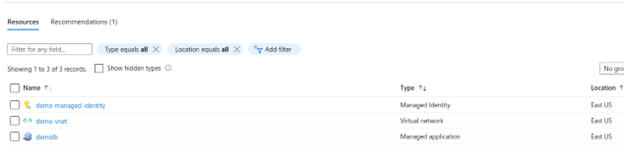
- Click on the managed application.

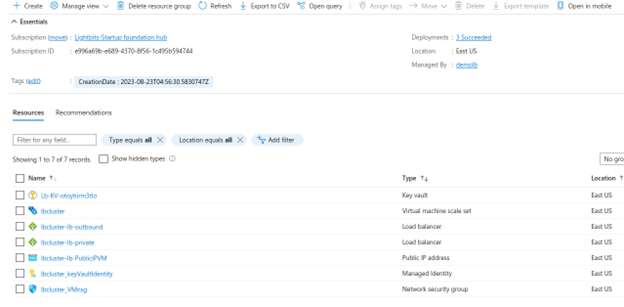
- Click in the managed resource group.
- You will get all the resources created by the cluster's deployment.
Type to search, ESC to discard
Last updated on
Was this page helpful?
Next to read:
Network Security Groups© 2026 Lightbits Labs™
Discard Changes
Do you want to discard your current changes and overwrite with the template?
Archive Synced Block
Message
Create new Template
What is this template's title?
Delete Template
Message
