
Search
The minimum recommended backup schedule is 6 hours (360 minutes). The backup schedule can be updated by updating the parameters of the Lambda function. This should be done with caution as it could impact the stability of the backup/restore process.
- In the AWS console, go to the Lambda dashboard.
- From the left menu, select Function.
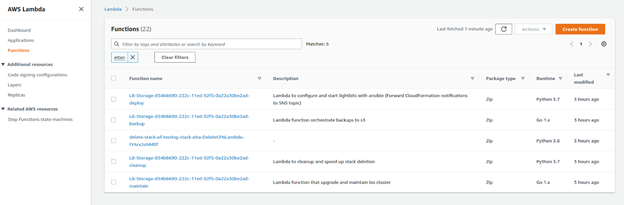
- In the filter, enter Backup. This will show you the backup Lambda that is responsible for the backup exporter execution.
- Click the Lambda Function.
- Switch to the Configuration tab.
- Click on the Environment Variable on the side. You will see the BackupLambdaPeriodMinutes key.
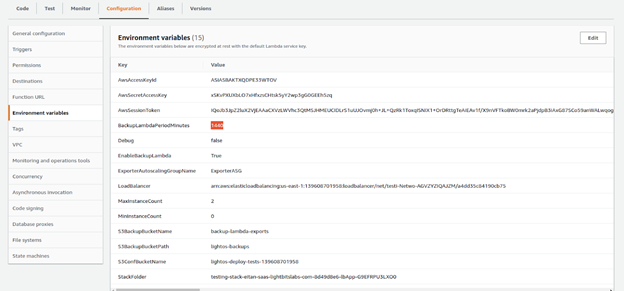
- Click Edit.
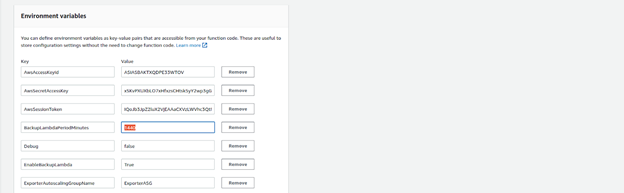
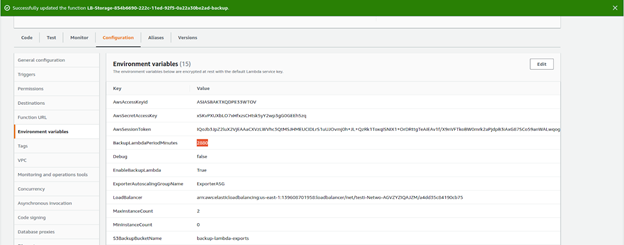
- Change the BackupLambdaPeriodMinutes value to the required interval between backups and click Save. Note that this change will take effect only after the next backup cycle. No other parameters should be changed.
Was this page helpful?