
The backup repository should be accessed with caution. Any change to backup files or structure could invalidate the backup.
- In the AWS console, go to S3.
- Go to the bucket name given in the backup configuration.
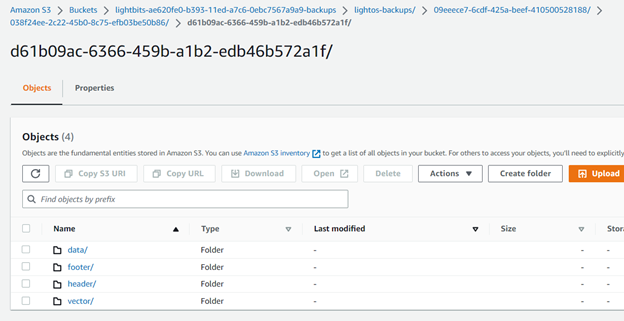
Under the backup device, you will have the following folder structure:
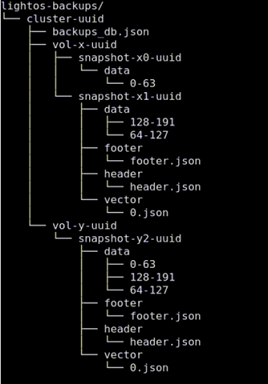
Cluster: If you have different clusters connected to the same backup repository, you will have a different path for each cluster.
Backups_db: Contains general information about this cluster's backup status.
Volume: Each volume that is backed up has a separate folder.
Snapshot: Each backup that is taken will be in a separate folder.
Header: This folder holds a header file in json format with the following information:
Size in bytes of the backup
Start Time: when the backup started
Snapshot UUID
Cluster UUID
Origin Volume Name (the name of the volume that was backed up)
Backup UUID
Version - for backward compatibility
Encryption - if the backup is encrypted or not
Footer: This folder holds a footer file in json format with the following information:
Size in bytes of the backup
Sha256 signature for data integrity
Vector: This folder holds information about the origin of each data range (this is used for the incremental backups).