
CF is installed via a deployment script that automates the necessary configuration steps on the local server (see the prerequisites below).
System Requirements
64-bit x86_64 Linux-compatible
One of the following operating systems: RockyLinux 9.7, Alma 9.7, Ubuntu 24.04
Minimum 4 vCPUs
Minimum 16GB RAM
20GB available disk space
Network Requirements
HTTPS access to each cluster’s management/API endpoints (TCP port 443).
Prerequisites
Before running the script, ensure that you have the following:
Cloudsmith API Key: Provided by Lightbits for accessing the Cloudsmith repository.
Deployment Script: Download the script from: https://github.com/LightBitsLabs/lightbits-community/tree/main/intelligent-cluster-management.
Installation Steps
Run the script: Execute the deployment script as an elevated user (root/sudo):
Follow the on-screen prompts:
The script will guide you through the configuration process, requesting the following inputs:
CloudSmith API Key: Enter your provided key.
CF Version: Select the desired version from the list of available releases (currently v1.0.0 and v1.0.1 are available).
Project Name: Configure the project name.
For versions v1.0.0 and v1.0.1, only a single project is supported. You can use the name ‘default’ or specify a custom project name.
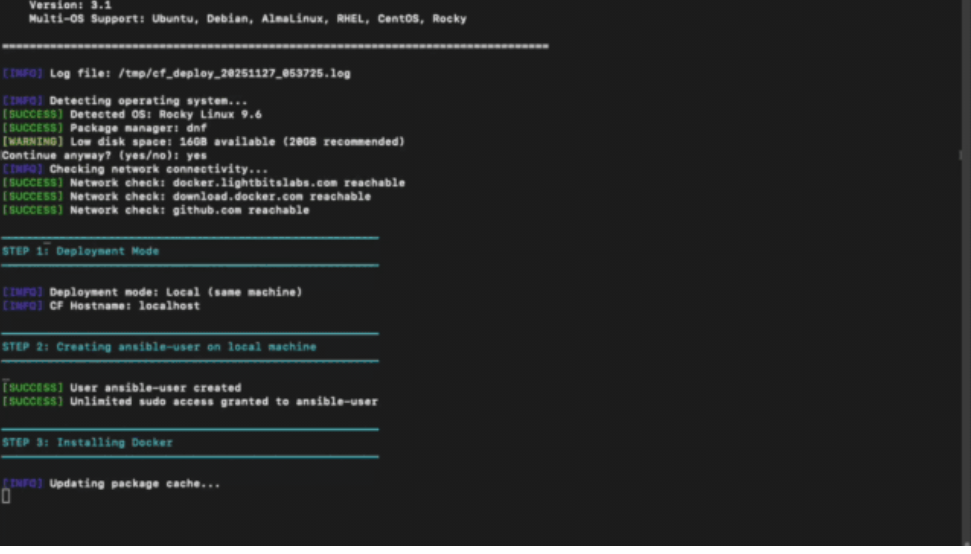
Complete the installation:
Once the deployment is complete, reload your shell to begin using the ‘cfcli’ tool:
Continue the initial setup steps as explained in the next section: cfcli Documentation.